
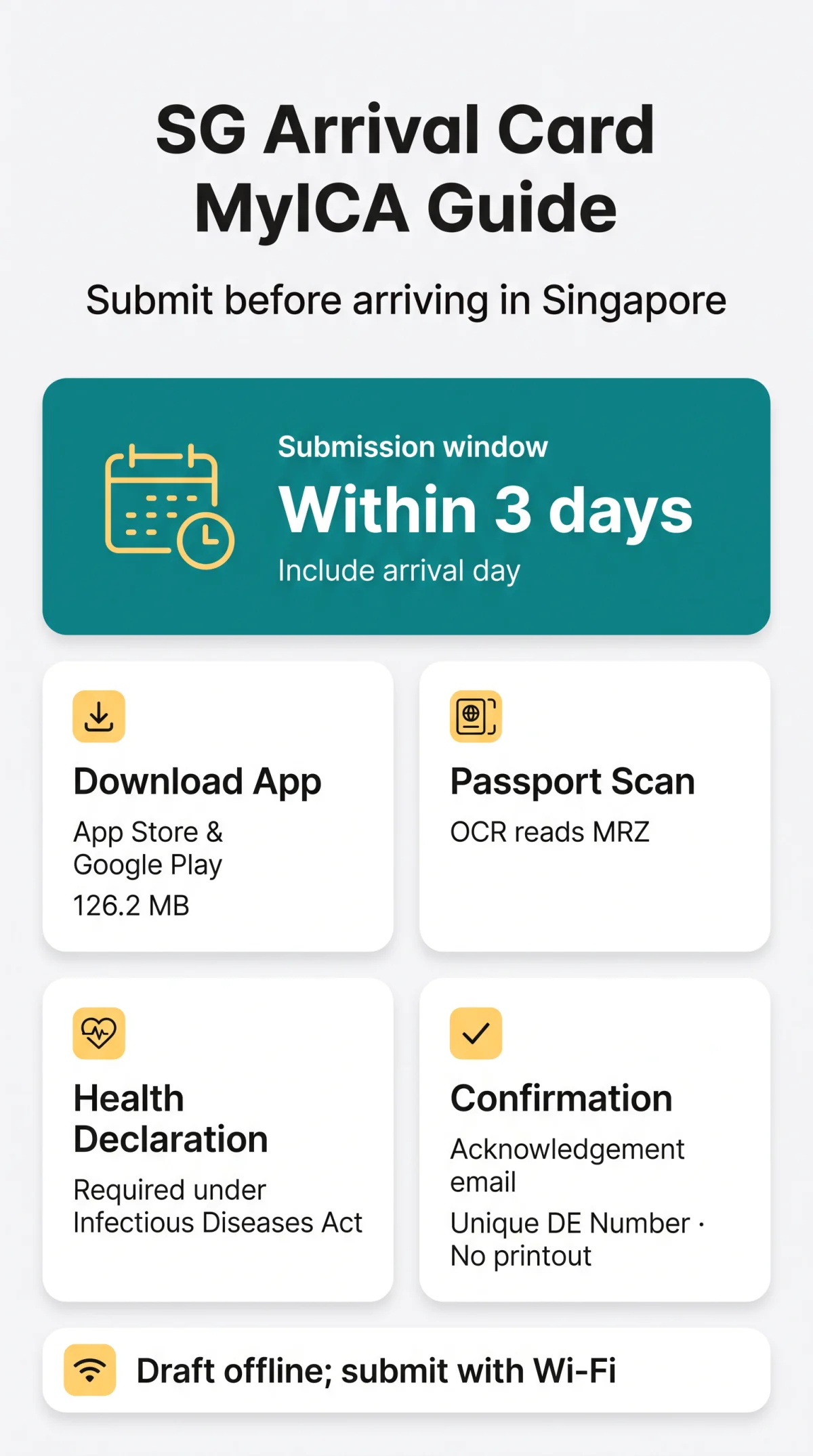
To submit your Singapore Arrival Card using the Singapore Arrival Card MyICA app, download it free from the App Store or Google Play, scan your passport, enter your travel and accommodation details, complete the Electronic Health Declaration, and tap Submit. You must submit within 3 days before your arrival date in Singapore.
Developed by the Immigration and Checkpoints Authority (ICA), the MyICA Mobile app is available at no cost for iOS and Android. Foreign visitors proceed directly without account registration; Singapore residents may optionally log in via Singpass. Upon submission, you receive an acknowledgement email with a Unique DE Number at your declared email address. No physical printout is required at immigration checkpoints; an electronic copy on your phone is sufficient. This guide walks UK travellers through every step, from download to confirmation. Last verified against ICA guidelines on 15 September 2026.
What Is the SG Arrival Card and the MyICA App?
The Singapore Arrival Card MyICA app is a free digital tool that lets travellers submit their SG Arrival Card (SGAC), an electronic entry declaration with an Electronic Health Declaration, before arriving in Singapore. The SGAC replaced the paper disembarkation/embarkation (DE) card, discontinued on 27 March 2020. According to the ICA website (ica.gov.sg), the service is completely free and ICA does not endorse or support any commercial entities charging fees for submission. The SGAC is not a visa and does not guarantee entry into Singapore.
MyICA App vs. Web e-Service: Comparison
| Feature | MyICA Mobile App | Web e-Service |
|---|---|---|
| Download required | Yes (126.2 MB) | No, browser-based |
| Passport scanning (OCR) | Yes | No, manual entry |
| Offline draft | Yes | No |
| Group submission | Up to 10 travellers | Yes |
| QR code generation | Yes (land checkpoints) | No |
| Profile saving | Yes, auto-populates future trips | No |
| Best for | Frequent travellers, families, land crossings | One-off trips, older devices |
Choose the MyICA app for repeated visits or family group submissions; use the web e-Service for a single trip or if your device cannot install the app. For a detailed comparison of both submission methods, see our guide on MyICA App vs ICA Website.
How to Download and Submit Your SG Arrival Card on the MyICA App
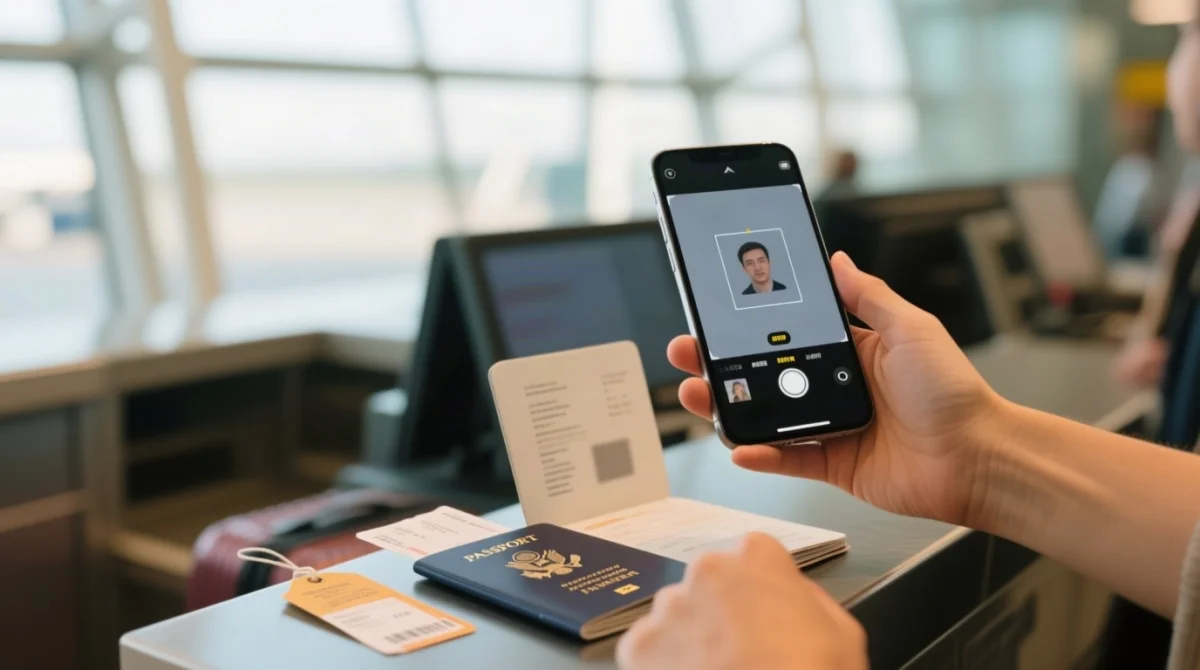
Download the MyICA app via the QR code on ICA’s MyICA Mobile page or directly from the App Store (iOS) and Google Play (Android). The app supports passport OCR scanning to auto-fill biographical data.
Download & System Requirements
The app requires 126.2 MB of storage and camera permissions for passport scanning (OCR). It is compatible with iPhone and iPad, with a 4+ age rating and English-only interface (per App Store). For older devices, use the web e-Service as a fallback.
Step-by-Step Submission
Choose submission type
Select Individual, Family, or Group submission (up to 10 travellers). Children and infants need no separate app installation; add them via Group Submission. For detailed guidance on submitting for younger travellers, see our Singapore Arrival Card requirements for minors.
Scan your passport
Scan your passport biographical page; the MyICA app reads the Machine Readable Zone automatically via OCR.
Enter travel & accommodation details
Enter flight number, arrival date, accommodation address, email, and phone.
Complete the Electronic Health Declaration
Required under the Infectious Diseases Act; false declarations may result in prosecution.
Review and submit
Receive an acknowledgement email with your Unique DE Number. Profile-saving auto-populates fields on future trips.
When to Submit: The 3-Day Rule
Submit within 3 days before arrival, including the arrival day. Arriving 30 June? Submit from 28 June onwards. The Singapore Arrival Card MyICA app confirms submission immediately.
After Arrival, e-Pass & Troubleshooting the MyICA App
After landing in Singapore, you receive a digital e-Pass by email with no passport stamp. If the Singapore Arrival Card MyICA app encounters issues submitting your declaration, use the ICA web e-Service as a fallback.
e-Pass & Immigration Clearance
Since 11 March 2022, all foreign visitors receive a digital Visit Pass (e-Pass) by email after arrival, indicating the last day of stay allowed. No physical stamp is placed; an electronic copy suffices at immigration clearance. The MyICA app generates QR codes at Woodlands and Tuas land checkpoints for faster clearance. Check real-time traffic via the CHECK-TIPS Hotline at 6863 0117.
Troubleshooting Common Issues
- Passport scanning fails: grant camera permissions, clean the lens, ensure the MRZ zone is flat and well-lit; use manual entry if persistent.
- App crashes: clear the app cache or reinstall.
- Scheduled maintenance: e-Services are unavailable 17 September 2026 (2200hrs SGT) to 18 September 2026 (0800hrs SGT); submit before this window.
- Flight details change: we verified in September 2026 that the MyICA app has no edit function after submission. Cancel your Singapore Arrival Card and re-submit with updated details. For step-by-step instructions, read our guide on how to amend your Singapore Arrival Card.
For persistent issues, use the web e-Service (optimised for Edge, Firefox, Chrome, and Safari) at eservices.ica.gov.sg/sgarrivalcard or contact ICA via Reach.gov.sg.
Exemptions, Offline Use & Practical Tips for UK Travellers
Transit passengers passing through Changi Airport without seeking immigration clearance are exempt from the Singapore Arrival Card. You can draft the form offline on your London to Singapore flight but need internet to submit it before immigration clearance. For full details, see our Singapore Arrival Card transit requirements at Changi Airport guide.
Who Is Exempt from the Singapore Arrival Card
Per the ICA website, the following groups are exempt from the MyICA app submission requirement:
- Transit passengers passing through Changi without seeking immigration clearance
- Residents at Woodlands and Tuas Checkpoints: health declaration only
Offline Drafting & Privacy Tips
The MyICA app lets you fill in all fields offline on a 12-hour London to Singapore flight. Submission requires internet: connect to Changi Airport Wi-Fi and tap Submit.
- Profiles are saved to auto-populate future trips; saved passport records can be cleared after your trip
- Interface is English only (per App Store)
- No printout required; electronic confirmation is sufficient
- Each Singapore Arrival Card covers single entry only; submit a new card for each trip. Learn more about how long the SG Arrival Card is valid after submission.
FAQ: Singapore Arrival Card MyICA App
Do I need the Singapore Arrival Card if I’m just transiting through Changi Airport?
Transit passengers remaining airside at Changi are exempt. The exemption ends if you leave the transit area or cross via Woodlands or Tuas land checkpoints, where submission is mandatory.
Is the Singapore Arrival Card free to submit on the MyICA app?
Yes, no fees apply via either the MyICA app or the SGAC e-Service. Beware of third-party websites charging for submission; ICA does not endorse commercial entities.
How long is the Singapore Arrival Card valid after submission?
A submitted SGAC is valid for a single entry within the declared arrival window. Each new trip requires a new submission within 3 days before arrival.
What languages does the MyICA app support?
The MyICA app interface is available in English only, per the Apple App Store listing. Form fields display in English regardless of device language settings.
Do I need to print my SGAC confirmation email?
No. An electronic copy, such as the acknowledgement email or an in-app screenshot containing your Unique DE Number, is sufficient at immigration checkpoints.
What documents do I need before starting my SG Arrival Card submission?
Gather your valid passport, flight or vessel number and arrival date, Singapore accommodation address, a working email address, and a contact phone number.
How do I know my Singapore Arrival Card submission was successful?
You will receive an acknowledgement email at the address you declared, containing a Unique DE Number. You can also check submission status within the MyICA app under past submissions.
What should I do if the MyICA app doesn’t work on my phone?
Use the web e-Service at eservices.ica.gov.sg/sgarrivalcard as a fallback. For persistent issues, contact ICA via Reach.gov.sg.
Disclaimer: This article is for informational purposes only and does not constitute legal or immigration advice. We are not affiliated with ICA or the Singapore government. Always refer to ica.gov.sg for the most current requirements. Article last updated: 15 September 2026.