
Last updated: 15 September 2026. Prepared by our travel-tech editorial team based on ICA’s 2026 Public Advisory on SGAC submission and traveller reports from UK users. This portal is independent and not affiliated with ICA. We do not sell SGAC services.
An SGAC submission error blocks your mandatory SG Arrival Card (SGAC) with Electronic Health Declaration before travelling to Singapore. Causes include OTP not received, browser cache problems, or ICA server downtime. The card is free of charge and must be submitted within 3 days (including the day of arrival) before arrival. A 400-series code indicates a form validation problem on your end; a 500-series code points to an ICA server fault.
What Is the SG Arrival Card and Why Do Submission Errors Happen?
The SG Arrival Card (SGAC) with Electronic Health Declaration is a mandatory electronic arrival card managed by Singapore’s Immigration & Checkpoints Authority (ICA). It replaced the paper disembarkation/embarkation card discontinued on 27 March 2020. All travellers must submit it within 3 days before arrival, creating deadline pressure that amplifies the stress of an SGAC submission error. The card is free, takes approximately 3 to 10 minutes to complete, and is not a visa. Per ICA’s 2026 Public Advisory, 63 commercial entities are listed as unauthorised third-party services charging up to $100 SGD. An SGAC submission error typically stems from client-side issues (browser incompatibility, corrupted cache, VPN conflicts, incorrect form validation) or server-side issues (ICA maintenance and downtime).
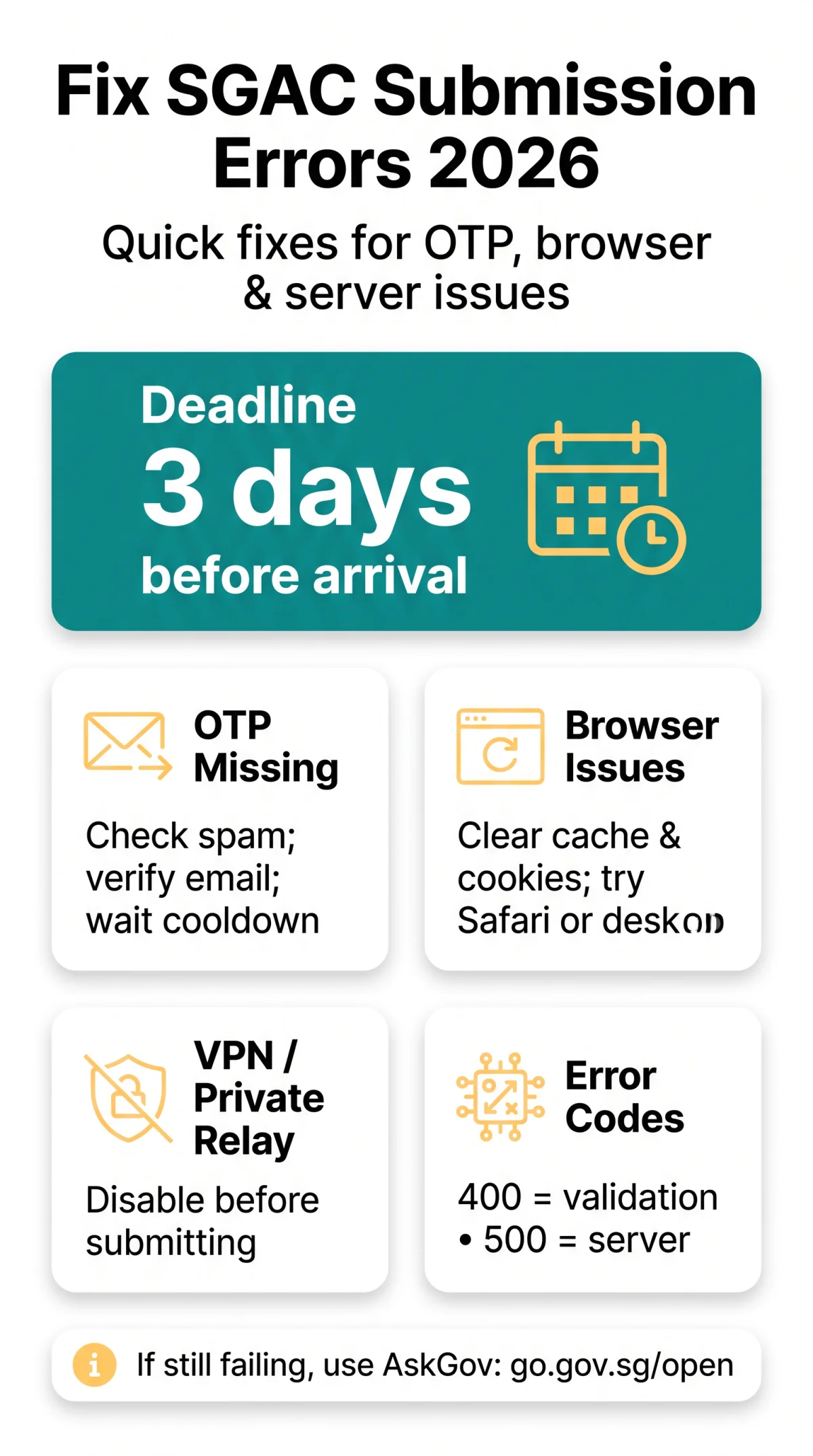
SGAC submission error fix: Clear your browser cache and cookies, disable any VPN or private relay, verify all mandatory form fields, and check the ICA server status before retrying. If your OTP was not received, check your spam folder and resend after the cooldown period. For persistent errors, contact the ICA helpdesk via AskGov.
SGAC OTP Not Received? Here’s What to Do in 2026
If your SGAC OTP is missing, check spam folders for ICA emails, verify the entered address, and wait for the cooldown period before resending.

The SGAC submission error often appears at the OTP verification stage. To resolve it:
Check your spam folder
Look for emails from ICA sender domains
Verify your email address
A mistyped character redirects the OTP and triggers an error alert
Wait for the cooldown period
Repeated rapid requests may return error code 400 or 500
Distinguish between the two emails
OTP verifies login; acknowledgement email contains QR code for immigration
Why Your Confirmation Email Might Be Delayed
SGAC confirmation emails are separate from OTP emails and may be delayed by spam filters, typo’d addresses, or server-side processing queues. If neither arrives after all steps above, contact the ICA helpdesk via AskGov at go.gov.sg/open. Response time is within 3 working days.
SGAC Website Down or Submission Failed: Diagnostics
SGAC errors: 400 = form validation failure, 500 = server fault, timeout = lost connection. Other variants include gateway rejection (VPN/proxy conflict), connection refused (server unreachable), and session expired (inactivity timeout). The SGAC submission error can be either client-side (your browser, VPN, cache) or server-side (ICA maintenance, downtime).
Clear Your Browser Cache and Cookies
Clear your browser cache and cookies in Chrome, Safari, Firefox, or Edge to remove corrupted session data causing form-looping or frozen Submit buttons on the SGAC e-Service at eservices.ica.gov.sg/sgarrivalcard/.
Disable VPN and Private Relay Connections
VPNs and Apple’s Private Relay commonly trigger gateway rejections on Singapore government portals. UK travellers frequently use these without realising they block the SGAC form. Disable any active VPN or relay service before retrying from a direct connection.
Try a Different Browser or Device
The ICA website is optimised for Safari, though Chrome, Edge, and Firefox are generally supported. Switching from a mobile browser to a desktop session often bypasses rendering issues that produce the SGAC submission error on smaller screens.
Common SGAC Form Validation Errors and How to Avoid Them
The SGAC submission error is usually caused by form validation failures (incorrect fields) or an expired session that erases all data. Common errors include:
- Name format: Enter Surname followed by Given Names (e.g., “DOE John”), not the reverse order used in everyday British documents.
- Date of birth: Use DD/MM/YYYY format exactly as shown in your passport.
- Passport validity: At least 6 months from the entry date; details must match the passport presented at immigration.
- Travel details: Flight number (air), vehicle number (land), or vessel name (sea/cruise).
- Session timeout: Prolonged inactivity triggers automatic expiry that erases all entered fields, forcing a full restart.
Handling Special Characters in Names
Hyphens, apostrophes, and umlauts in names can trigger SGAC validation flags. For example, a UK traveller reported that clearing cache and removing the apostrophe from “O’Brien” resolved their 400 error immediately. Enter the exact spelling from your passport without special characters where the form does not accept them.
Session Timeout and Data Loss Prevention
An SGAC submission error caused by session expiry is avoidable: complete the form in one uninterrupted sitting. If it times out, all data is lost and you must restart from a fresh session.
How to Resubmit Your SGAC Application After an Error
Resubmit: verify data, retry via the ICA e-Service or MyICA Mobile App, and use AskGov for persistent SGAC submission errors. Never pay third-party services. They are not endorsed by ICA and may misuse your passport and credit card details, leading to identity theft and fraud.
- Verify all submitted data before resending through the SGAC e-Service at eservices.ica.gov.sg/sgarrivalcard/ to avoid repeating the SGAC submission error. Resubmission is free of charge.
- The SGAC is editable as long as the submission has not expired. Note your reference number for tracking.
- A successful submission triggers an acknowledgement email containing a QR code sent to your declared email address.
- Group submissions of up to 10 persons travelling together can be made in one application.
SGAC Support Contact Options and How to Report a Technical Error
When self-troubleshooting does not resolve the SGAC submission error, submit an enquiry via the AskGov platform at go.gov.sg/open with a screenshot including the URL bar, error text, and timestamp. Specify whether you are using the web e-Service or the MyICA Mobile App. The ICA helpdesk responds within 3 working days. Changi Airport immigration hall has terminals and tablets displaying the SGAC website with staff available to assist arriving travellers.
Browser and Device Compatibility for SGAC in 2026
| Platform | Supported Browsers / OS | Notes |
|---|---|---|
| Web e-Service (Desktop) | Safari (optimised), Chrome, Edge, Firefox | ICA lists Safari; other modern browsers generally supported |
| MyICA Mobile App (Android) | Android (Google Play) | Free download; profile-saving function auto-populates data for future trips |
| MyICA Mobile App (iOS) | iOS (Apple App Store) | Free download; in-app digital storage of confirmation |
Switching from a mobile browser to a desktop browser or the MyICA Mobile App can bypass device-specific rendering issues that trigger an SGAC submission error. The SGAC submission error on mobile devices often stems from unsupported browser versions or screen-size rendering problems.
Frequently Asked Questions: SGAC Submission Error Troubleshooting
What does an SGAC submission error mean?
A technical failure during SGAC application: error codes 400 (validation), 500 (server), timeout, or session expiry. Managed by ICA, free of charge.
Why does my SGAC submission fail with error code 500?
Server-side problem on ICA’s end. Try clearing cache, disabling VPN, and retrying later. If it persists, use AskGov at go.gov.sg/open.
How do I check if the SGAC server is down?
Try loading eservices.ica.gov.sg/sgarrivalcard/ in multiple browsers. If it fails across all, the ICA server may be down. Confirm via AskGov at go.gov.sg/open.
How do I clear my browser cache for the SGAC form?
Access browser settings, clear cache and cookies, then reload the SGAC e-Service and retry. This removes corrupted session data causing form-looping or frozen Submit buttons.
What are the mandatory fields on the SGAC form?
Name (Surname + Given Names), date of birth (DD/MM/YYYY), valid email, arrival date, passport with 6+ months validity, phone number, travel details (flight/vehicle/vessel), and accommodation address.
What should I do if my SGAC OTP was not received?
Check spam for ICA emails, verify your email address, wait for the cooldown before resending. If it still fails, submit an enquiry via AskGov at go.gov.sg/open.
How do I contact SGAC support from the UK?
Submit an enquiry via AskGov at go.gov.sg/open with a screenshot (URL bar, error text, timestamp). Specify web or MyICA App. ICA responds within 3 working days.
Can I submit my SGAC application offline?
No. Submit via the web e-Service at eservices.ica.gov.sg/sgarrivalcard/ or the free MyICA Mobile App. Changi Airport has terminals with staff to assist.
How do I resubmit my SGAC application after a failure?
Verify all data, retry via the ICA e-Service or MyICA App, note your reference number. A successful submission triggers an acknowledgement email with a QR code. Do not use paid third-party services.
Is there a deadline for SGAC submission in 2026?
Yes. Submit within 3 days (including arrival day) before arrival. This remains in effect in 2026. Singapore Citizens, Permanent Residents, and Long-Term Pass holders entering via Woodlands or Tuas Checkpoints are exempt.
Why is the SGAC form not working on my mobile phone?
Mobile browsers may face rendering issues. Try a desktop browser or the free MyICA Mobile App (Google Play or Apple App Store). Disabling VPN or Private Relay may also help.
What penalties apply for a false SGAC declaration?
Prosecution under the Infectious Diseases Act. Travellers will not be denied entry unless a false declaration has been made. The SGAC is not a visa and does not grant entry on its own.