
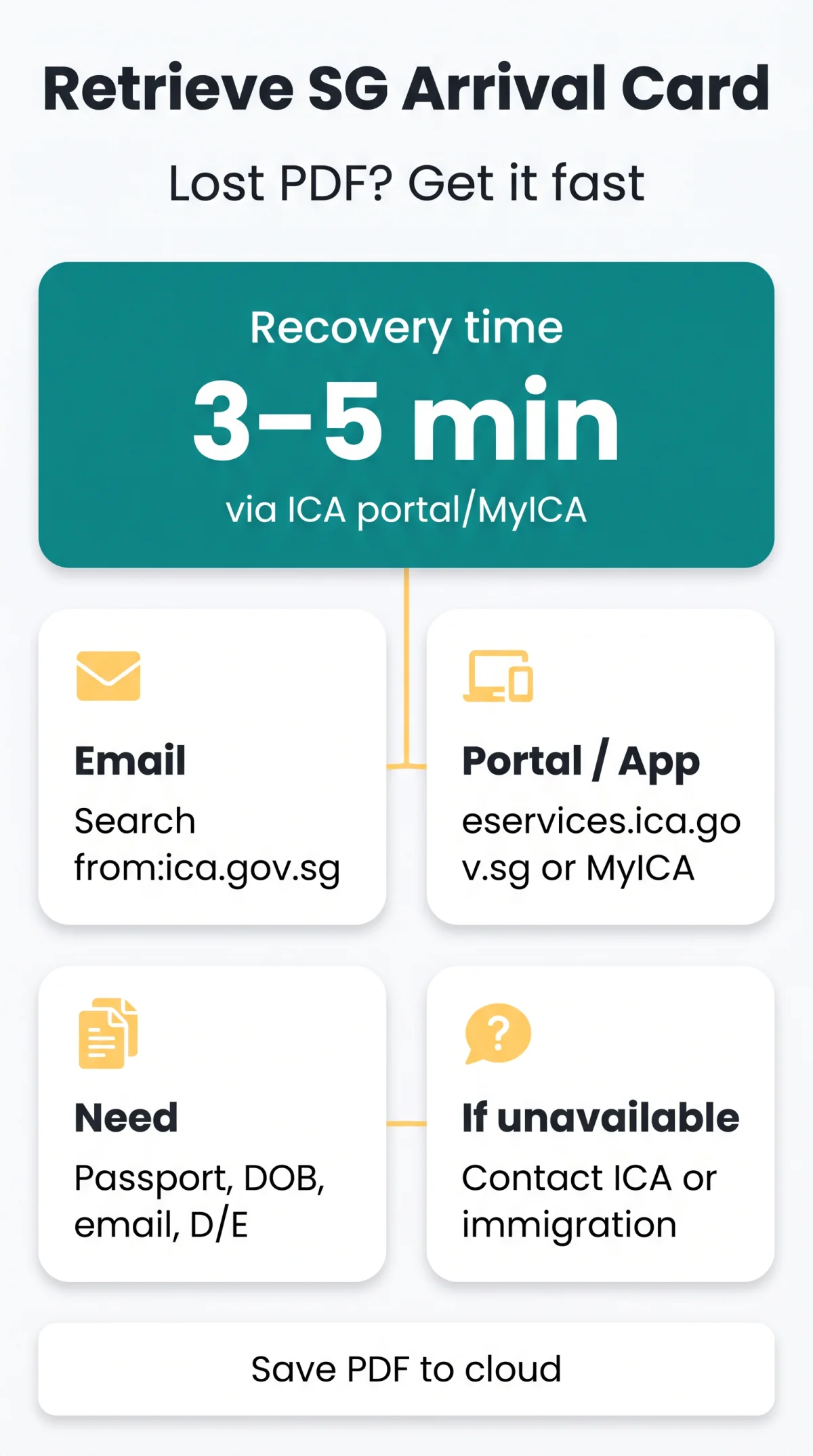
If you have lost your Singapore Arrival Card confirmation PDF, you can recover it quickly. Search your email inbox for messages from the ica.gov.sg domain. If that fails, log into the ICA e-Service portal or MyICA app using your passport details to re-download the document.
The Singapore Arrival Card (SGAC) confirmation is a free PDF sent instantly after submission via the ICA portal or MyICA Mobile application. It is a mandatory pre-arrival Electronic Health Declaration, not a visa, required from all travellers, including UK passport holders with visa-free entry. The SGAC replaced the paper DE Card (white card) on 27 March 2020. Submission is required within 3 days before arrival, with exemptions for residents travelling through Tuas Checkpoint, Singapore permanent residents, and Long-Term Pass holders at land checkpoints. Beware of commercial submission entities that charge a fee and are not endorsed by ICA. For Singapore Arrival Card lost PDF recovery, follow the steps below.
What Is the Singapore Arrival Card Confirmation and Why It Matters
The Singapore Arrival Card confirmation is a free PDF containing your D/E number, QR code, passport details, and travel dates. It is an Electronic Health Declaration submitted online to protect the health of Singapore residents. The submission confirmation is emailed to the address declared during the SGAC process. Group submission is available for persons travelling to Singapore together for one trip.
| SGAC Confirmation | Electronic Visit Pass (e-Pass) |
|---|---|
| Pre-arrival document | Post-arrival document |
| Submitted by traveller online | Issued by ICA after immigration clearance |
| Contains D/E number and QR code | Contains last day of stay allowed |
The e-Pass replaced inked passport stamps effective 11 March 2022 and is emailed to the address indicated in your SGAC submission. It is not issued to Singapore PRs or Long-Term Pass holders.
Search Your Email for the Lost Singapore Arrival Card Confirmation (Quickest Fix)
The fastest Singapore Arrival Card lost PDF recovery method is searching your email. The Singapore Arrival Card acknowledgement email is sent instantly to the email address you declared during the SGAC process. Search your inbox for emails from the ica.gov.sg domain with the subject line containing “SG Arrival Card.”
| Email Provider | Search Syntax |
|---|---|
| Gmail | from:ica.gov.sg "SG Arrival Card" |
| Outlook | from:ica.gov.sg subject:"SG Arrival Card" |
| Yahoo Mail | from:ica.gov.sg "SG Arrival Card" |
Search by sender domain
Use your email provider’s search bar with the domain filter as shown above.
Check spam, junk, and promotions folders
If the Singapore Arrival Card confirmation has not arrived within 15 minutes of submission, review these folders.
Recover deleted emails
Look in your Trash or All Mail folder in case the confirmation was accidentally deleted. Search all email accounts you may have used when submitting your SGAC.
Re-download Your Singapore Arrival Card PDF via the ICA Portal or MyICA Mobile App
You can re-download your confirmation PDF directly through the ICA e-Service platform at eservices.ica.gov.sg/sgarrivalcard or the free MyICA Mobile application. This is the most reliable method for Singapore Arrival Card lost PDF recovery.
Prerequisites: passport number, date of birth, email used during submission, D/E number (if available).
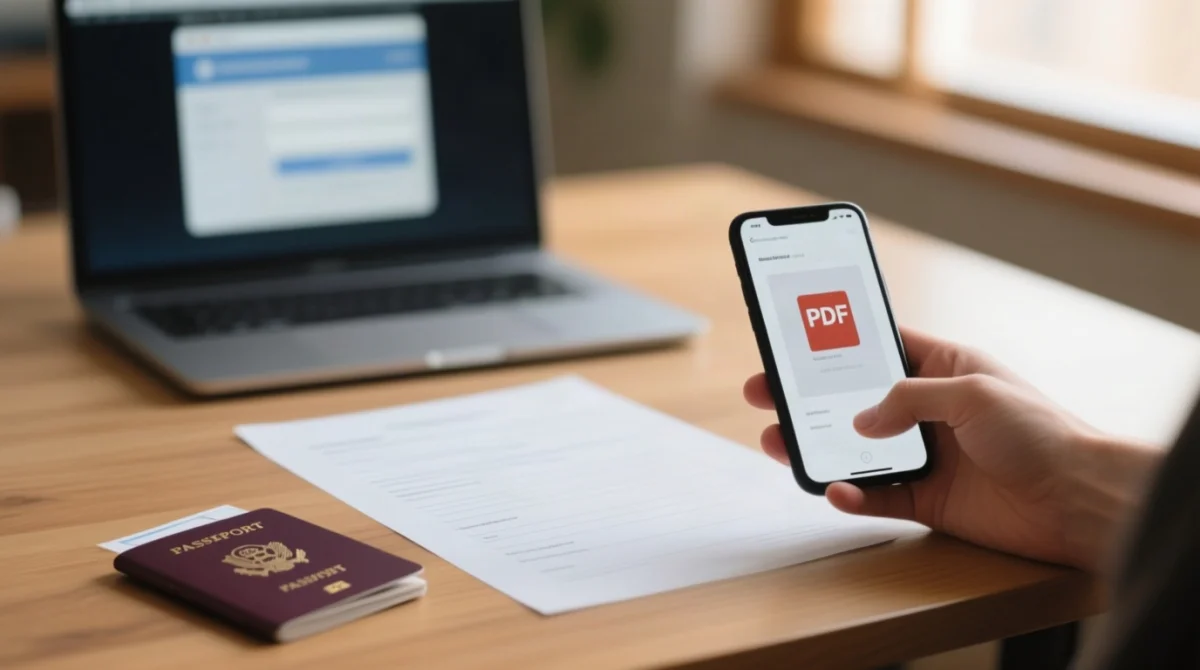
Scenario A: You Know Your D/E Number
- Open the e-Pass Enquiry Portal hosted on the SG Arrival Card e-Service platform.
- Enter your D/E number and passport details to authenticate your session. An OTP (One-Time Password) may be sent to your registered contact.
- Retrieve and download your Singapore Arrival Card confirmation PDF. The process takes 3 to 5 minutes.
Scenario B: No D/E Number – Use Passport Details
- Visit eservices.ica.gov.sg/sgarrivalcard in a recommended browser (Safari, Edge, Firefox, or Chrome).
- Enter your passport number and date of birth to locate your submitted declaration.
- Download the replacement PDF to your device.
Scenario C: Cannot Access Either
If you cannot retrieve your Singapore Arrival Card PDF using the portal or app, contact ICA Customer Assistance via the ICA e-Services and Forms Portal. Submit an enquiry regarding problems with the e-Pass Enquiry Portal or D/E number retrieval, including your passport number, travel date, and email used.
Retrieve via MyICA Mobile App
- Open the free MyICA Mobile app (available on Google Play and the App Store).
- Go to the “SG Arrival Card” tab.
- Select “Submitted Declarations” to view your current trip and download the PDF.
The retrieved Singapore Arrival Card PDF is not password-protected. Treat it as confidential as it contains your passport number, D/E reference, and travel details. The MyICA app also offers a profile-saving function to auto-populate information for subsequent trips.
Contact ICA or Arrive in Singapore Without Your Singapore Arrival Card
Singapore immigration officers verify Singapore Arrival Card records electronically using your travel document at the checkpoint, so arriving without the PDF will not deny entry to UK visitors. At Changi Airport, if available, use self-service touchscreens in the arrival hall. If not, proceed to the immigration counter for manual processing.
You can resubmit a new declaration within the 3-day pre-arrival window (including the day of arrival). The ICA system recognises the most recent submission, supersedes the lost one, and issues a new D/E number automatically. Use the “Update SGAC” feature on the e-Service platform for changes to your existing declaration.
The Electronic Visit Pass (e-Pass), which replaced inked passport stamps effective 11 March 2022, is emailed to the address declared in your SGAC submission after clearing immigration. Most airlines do not check the SGAC PDF at the boarding gate. Some carriers may request proof.
How to Never Lose Your Singapore Arrival Card PDF Again
Save to cloud storage
Upload the Singapore Arrival Card PDF to Google Drive, iCloud, or OneDrive immediately after download.
Screenshot the QR code
Capture the QR code from the PDF and save it to your phone photos for quick access at immigration clearance.
Email a backup copy
Forward the confirmation email to a secondary email address before departure.
Print a hard copy
Keep a printed copy in your travel document folder as a precaution.
Share with a travel companion
Send the PDF to someone travelling with you.
Bookmark the ICA portal
Save eservices.ica.gov.sg/sgarrivalcard for quick re-download access.
FAQ
How long does the Singapore Arrival Card confirmation email take to arrive?
The Singapore Arrival Card acknowledgement email is sent instantly upon successful submission. If you do not receive it within 15 minutes, check your spam or junk folders. You can also retrieve the PDF directly from the ICA e-Service portal or MyICA app using your passport details.
Is the Singapore Arrival Card confirmation PDF password-protected?
The Singapore Arrival Card confirmation PDF is not password-protected and can be opened, printed, and shared freely. Treat it as confidential as it contains your passport number, D/E reference, and travel details.
Can I re-download my Singapore Arrival Card PDF if the 3-day window has passed?
The PDF of a previously submitted Singapore Arrival Card can be re-downloaded from the ICA portal even after the 3-day pre-arrival window has closed. However, you cannot submit a new SG Arrival Card outside this submission window, which requires submission within 3 days including the day of arrival.
Will my airline check my Singapore Arrival Card PDF at the boarding gate?
Most airlines do not require visual proof of Singapore Arrival Card submission when issuing a boarding pass. However, some carriers may request it.
Can I re-submit a new Singapore Arrival Card if I’ve lost the original?
Yes, if you are still within the 3-day pre-arrival window, a new Singapore Arrival Card submission supersedes the lost one and issues a new D/E number. The ICA system recognises the most recent submission.
What happens if I forgot to submit my Singapore Arrival Card before arriving?
Use the MyICA Mobile app to submit if you are still within the 3-day pre-arrival window. If the window has passed, proceed to an ICA officer at the immigration counter for manual processing.
What is the difference between the Singapore Arrival Card PDF and the e-Pass?
The Singapore Arrival Card is a pre-arrival digital health declaration submitted online, while the e-Pass is issued after clearing immigration in Singapore and sent via email. The e-Pass replaced inked passport stamps effective 11 March 2022 and contains the last day of stay allowed in Singapore.
Do UK citizens need a Singapore Arrival Card to enter Singapore?
Yes, all travellers arriving in Singapore, including UK passport holders with visa-free entry, must submit the Singapore Arrival Card electronically within 3 days before arrival. The SGAC is not a visa and does not guarantee entry; it is a mandatory pre-arrival registration required for immigration clearance.
Can I retrieve my Singapore Arrival Card if I used a different email address than my primary one?
Search all email accounts you may have used, or skip the email search and retrieve the Singapore Arrival Card PDF directly from the ICA portal or MyICA app using your passport details. The portal and app do not require access to the original email.
Is there Wi-Fi at Changi Airport to access the ICA portal if I don’t have mobile data?
Yes, Changi Airport offers free Wi-Fi throughout the terminals, allowing you to access the ICA portal and retrieve your Singapore Arrival Card confirmation PDF on the spot. Connect to the “Wireless@SG” network.
Last updated: 15 September 2026. Sources: Immigration & Checkpoints Authority (ICA), ica.gov.sg.