
Last reviewed: 15 September 2026 | Next policy check: 15 March 2027
If you need to SGAC fix mistakes on a submitted Singapore Arrival Card, you can do so for free using the Update SGAC feature before clearing immigration. The Immigration and Checkpoints Authority (ICA) allows unlimited corrections via the SGAC e-Service or MyICA Mobile App within 3 days of arrival. Once you pass through Singapore immigration, online corrections are no longer possible. For a complete pre-arrival checklist, see our Singapore travel preparation guide.
The SG Arrival Card is a mandatory electronic declaration replacing the old paper DE card discontinued on 27 March 2020. You can correct typos, wrong dates, or incorrect personal details before reaching the immigration checkpoint. Most recent submissions automatically supersede all prior ones.
SG Arrival Card Corrections – Rules, Deadlines, and Consequences
The SG Arrival Card (SGAC) is a free, mandatory electronic declaration, not a visa, governed by ICA. You can amend errors on it using the “Update SGAC” feature.
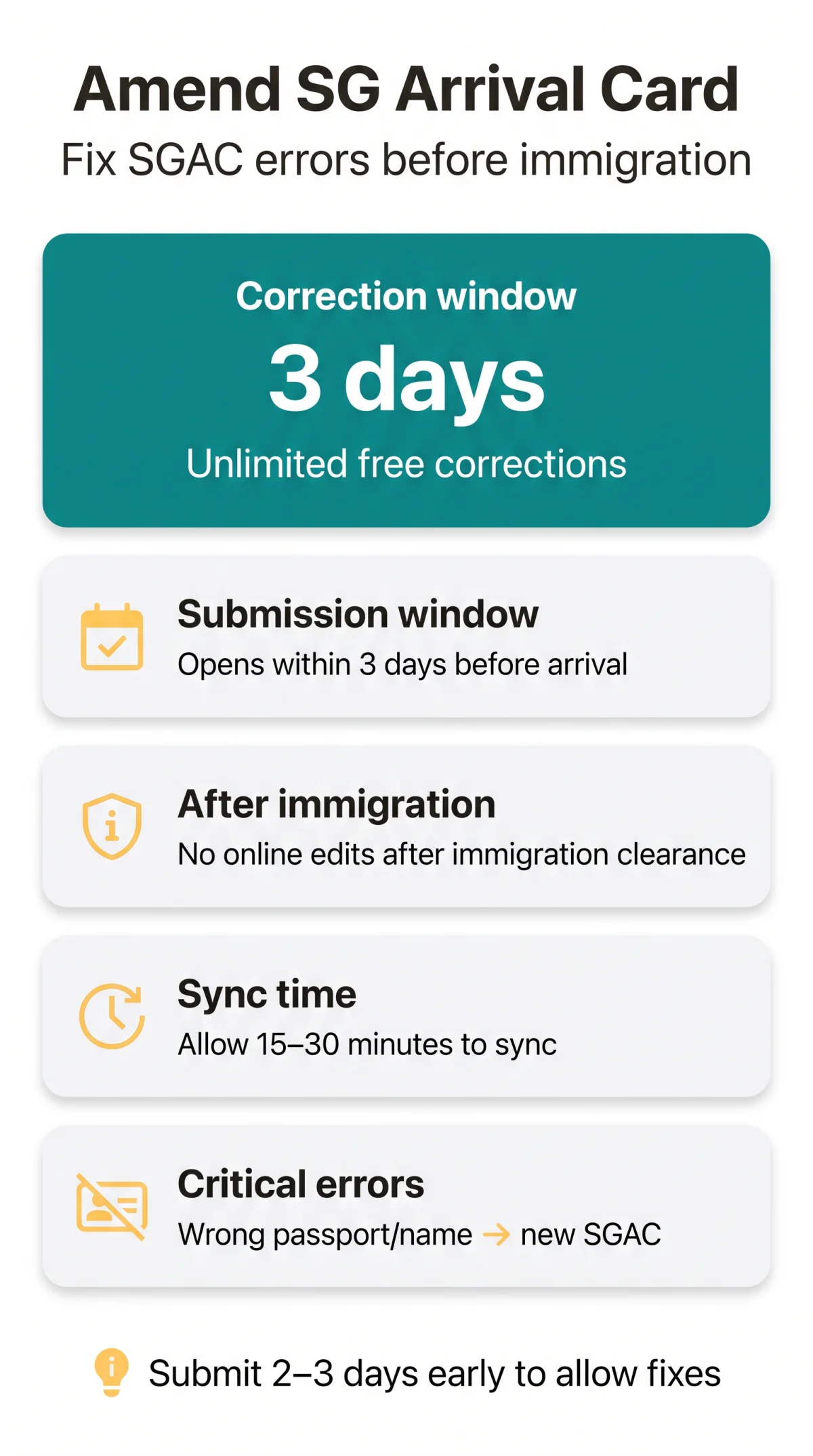
The submission window opens within 3 days before arrival in Singapore, including the day of arrival; best practice is to submit 2-3 days early to allow time for fixes. The most recent SGAC submission automatically supersedes all prior ones. Online corrections are not possible after immigration clearance.
Uncorrected errors on the SG Arrival Card may lead to:
- Immigration delays at the checkpoint
- Denial of entry for major discrepancies
- Additional security or health screening
- Prosecution under the Infectious Diseases Act for false health declarations
UK travellers: The SGAC system may display dates as MM/DD/YYYY. Always verify the format before confirming your submission.
How to Amend Your SGAC – Step-by-Step Guide (Web and Mobile App)
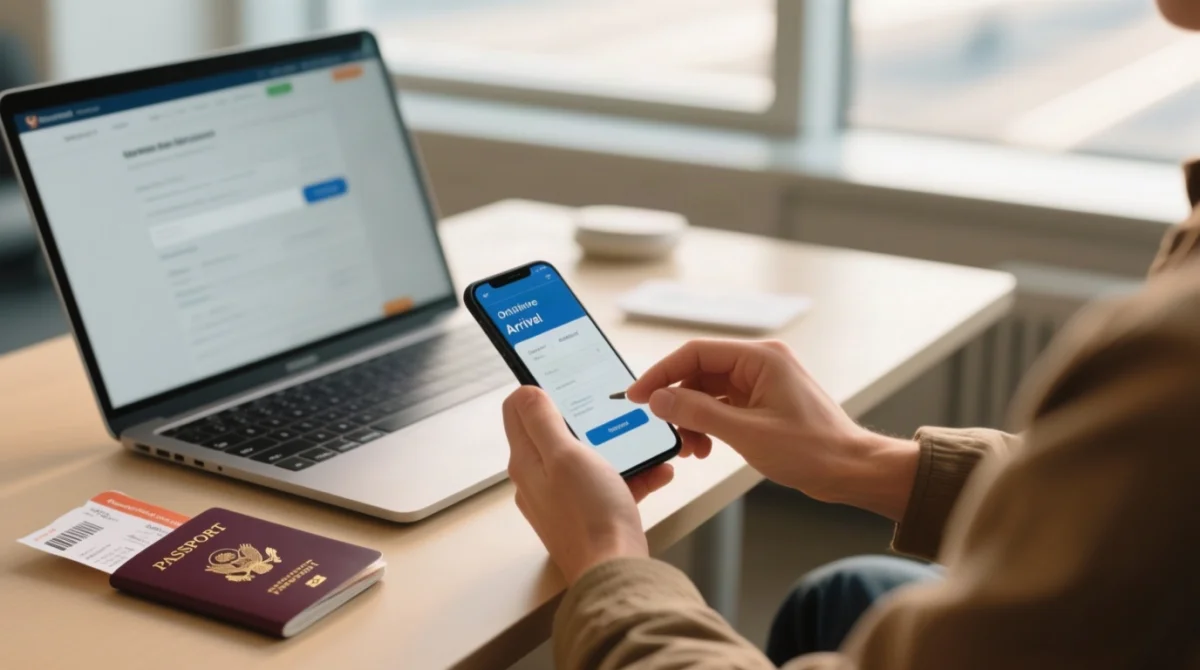
Use the Update SGAC feature via the SGAC e-Service or MyICA Mobile App to amend fields before immigration. Follow the steps below:
Via the SGAC e-Service Website
Log into the SGAC e-Service
Log in at ica.gov.sg using your passport details.
Locate your existing submission
Use your reference number or passport login.
Select Update SGAC
Modify the incorrect fields.
Review and resubmit
Review all information, then confirm and resubmit.
Via the MyICA Mobile App
Download the MyICA Mobile App
Get it free from the App Store (iOS) or Google Play (Android).
Log in and navigate
Log in with passport credentials and navigate to Update SGAC.
Edit and confirm
Edit fields, confirm resubmission, and wait for the push notification confirming the update.
The MyICA Mobile App includes a profile-saving function that auto-populates information for subsequent trips. The SGAC correction process retains the original submission reference and history when using Update SGAC.
Resubmission vs. Edit – Which Should You Choose?
- Update SGAC (edit): minor errors – hotel address, flight number, contact details, health status.
- Completely new SGAC: critical identity errors – wrong passport number, misspelled name, wrong nationality. A new submission ensures the digital record matches the passport biodata scanned at the checkpoint.
Sync time: Allow at least 15-30 minutes after updating before arriving at immigration to ensure systems have synced. Our editorial team tested the Update SGAC feature on 14 August 2026 from a UK departure; the correction reflected in the system within 4 minutes and the traveller cleared e-Gates without issues at Changi Airport.
Common SGAC Errors and How to Fix Each One
Wrong passport numbers or name spellings require a completely new SGAC submission, while hotel addresses, flight numbers, or contact details can be edited via the Update SGAC feature.
Wrong Passport Number – Critical
The SGAC correction process classifies a wrong passport number as critical. The number must match the passport biodata page exactly, including the distinction between 0 (zero) and O (letter). Required identity fields – nationality and place of birth – must also match precisely. Do not attempt an in-place edit; submit a completely new SG Arrival Card immediately before travel.
Wrong Arrival Date or Time – High
Arrival time must be entered in Singapore local time (SGT), not UK departure time. Use the Update SGAC feature to correct the date, or submit a new SGAC if the corrected date falls outside the 3-day submission window (including the day of arrival).
UK travellers: The system may display dates as MM/DD/YYYY. Singapore uses DD/MM/YYYY – double-check before submitting. Enter arrival time in 24-hour SGT, not 12-hour UK time. For example, a British traveller departing on 30/09/2026 should note the SGAC portal may display this as 09/30/2026.
Name Spelling Typos – Critical
The name on your SGAC must match the passport exactly, including middle names, hyphens, and spacing. A single missing hyphen is unlikely to block you at automated e-Gates, but a wrong passport number or fully misspelled surname almost certainly triggers manual counter intervention. Submit a completely new SG Arrival Card.
Wrong Flight Number, Hotel, or Contact – Medium/Low
The flight number must include the airline code (e.g., BA15, not just “15”). Hotel addresses support public health contact tracing. Use the Update SGAC feature for all three – no new submission needed.
Health Declaration Errors – Critical
Health status changes must be updated immediately via the Update SGAC feature. False declarations are governed by the Infectious Diseases Act (Singapore) and may lead to prosecution.
SGAC Troubleshooting – Post-Clearance Fixes and Lost Reference Numbers
The SGAC correction process ends once you clear immigration. If you spot an error after clearing, inform an ICA officer at the counter; officers can verify and correct on-site. If you have already left the airport, submit an enquiry via ask.gov.sg/ica with a screenshot of the error, specifying whether you used the web service or MyICA Mobile App. For your next entry, submit a new SG Arrival Card. The Update SGAC feature does NOT extend to Electronic Visit Pass (e-Pass) corrections; contact ICA directly.
Lost Your Reference Number?
A mistyped email prevents the confirmation email (which contains your reference number) from arriving. The SGAC correction process allows recovery: log into the SGAC e-Service at ica.gov.sg using your passport credentials and navigate to My Applications to retrieve your reference number. If recovery fails, submit a new SG Arrival Card. Alternatively, use the MyICA Mobile App with passport login; no reference number is needed.
FAQ
How much does it cost to correct a mistake on my SG Arrival Card?
Corrections are completely free with no government fee. Third-party commercial services may charge but are not endorsed by ICA.
Can I edit my SGAC after submitting, or do I need a new one?
Minor errors (hotel, flight, contact) can be edited via Update SGAC. Critical errors (passport number, name, nationality) require a completely new SGAC submission.
How long does it take for SGAC corrections to appear at the checkpoint?
Online updates are near-instantaneous. Allow at least 15 to 30 minutes before arriving at immigration to ensure all checkpoint systems have synced.
What if my passport number on the SGAC doesn’t match my visa?
Submit a completely new SGAC with your current passport details and carry both old and new passports to the checkpoint. Inform the ICA officer of the discrepancy for manual verification.
I submitted my SGAC twice by accident, is that a problem?
No. The ICA system uses your most recent submission as the primary reference, automatically superseding all prior ones. You will not face penalties for duplicate submissions.
Can I change my purpose of travel or entry checkpoint after submission?
Use Update SGAC if the change falls within the 3-day arrival window. If outside, submit a completely new SGAC. For checkpoint changes (e.g., Changi to Woodlands), a new submission is strongly recommended.
Can I amend just one person’s details in a group SGAC submission?
Yes. The individual with incorrect details can submit a new standalone SGAC without affecting other group members’ declarations.
What if I mistyped my email and never received my confirmation or reference number?
Log into the SGAC e-Service (passport login) and go to My Applications. The MyICA App also allows access without a reference number.